
TidyMate › Guides
How to organize your Downloads folder automatically on Windows 11 and 10
By Everjoe · 8 October 2026 · 5-minute read
Why the Downloads folder gets messy
Every browser, WhatsApp Desktop and most email apps save into the same Downloads folder. After a few months it mixes
invoices, bank statements, photos, installers, ZIP files and videos, and finding one receipt means scrolling through hundreds of files.
Option 1: Tidy it up with Windows' built-in tools
- Group by type. Open Downloads in File Explorer, right-click an empty space and choose Group by → Type. This doesn't move anything, but shows what's there.
- Make a few folders such as Documents, Images, Installers and Archives, then drag each group into its folder.
- Delete old installers. Files ending in
.exeand.msiare usually safe to delete once the program is installed. - Turn on Storage Sense (Settings → System → Storage → Storage Sense) and choose to delete files in Downloads that haven't been opened for 30 or 60 days. Be careful: it deletes, it doesn't sort.
- Ask your browser where to save. In Chrome or Edge settings, turn on "Ask where to save each file" if you prefer to choose a folder every time.
This works, but you have to repeat it every few weeks.
Option 2: Organize it automatically with TidyMate
TidyMate is a free file organizer for Windows 11 and 10. Everything runs on your PC; nothing is uploaded.
- Install TidyMate from the Microsoft Store or the website.
- Choose Downloads on the Organize page and pick how to sort: by file type (Images, Documents, Spreadsheets, Videos, Installers…), by year and month, or by extension.
- Click Preview. You see every move before anything happens.
- Click Organize. Done in seconds. Changed your mind? Open History and click Undo, even after restarting your PC.
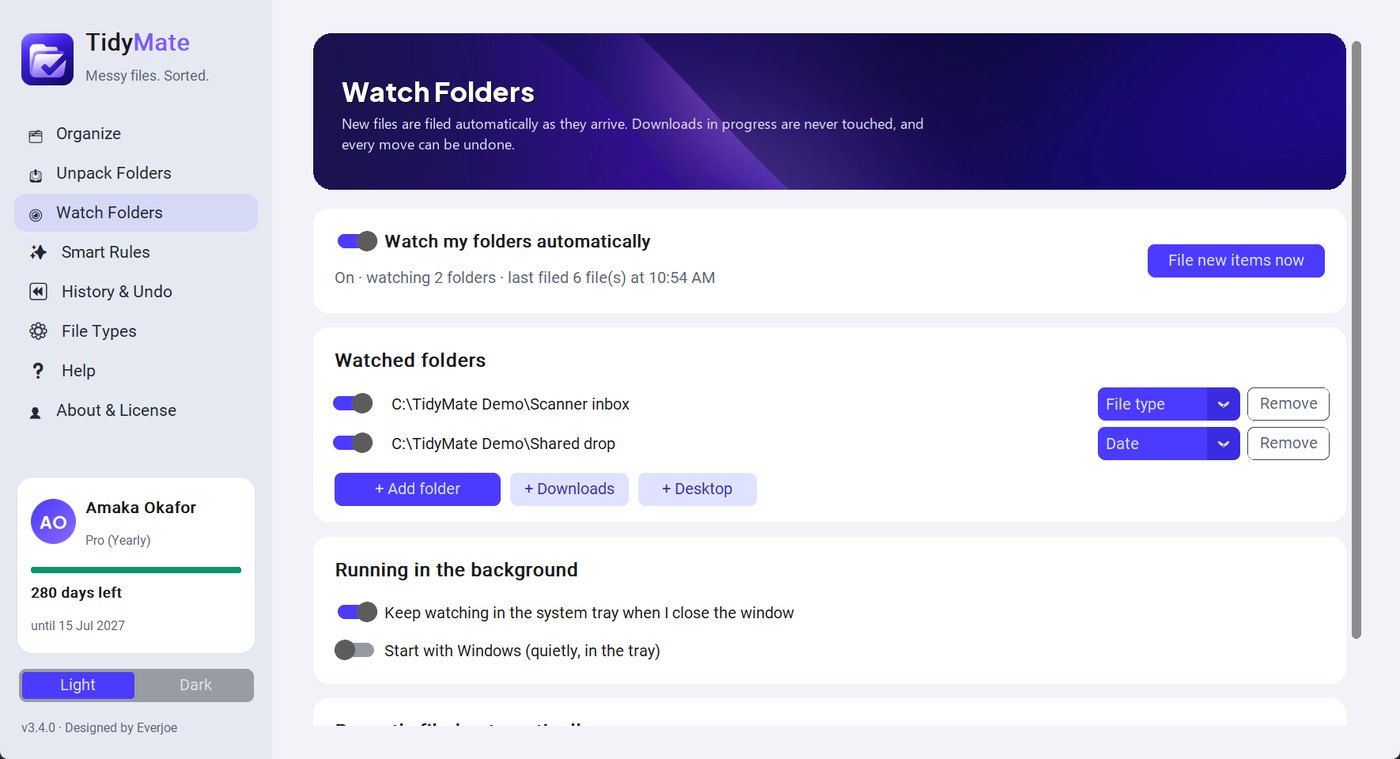
- Keep it tidy: open Watch Folders, add Downloads and switch it on. TidyMate runs in the system tray and files each new download as soon as it finishes (Watch Folders is part of the paid plans).
Bonus: file invoices and bank statements by what's inside them
Sorting by type puts every PDF in one folder. TidyMate's Smart Rules go further: they read the text inside PDF, Word, Excel and
PowerPoint files and send invoices to Finance/Invoices/2026, bank statements to a folder for each bank, and CVs and contracts to
their own folders, optionally renaming them like 2026-10-07_Invoice_118.pdf.
Questions
Can Windows organize the Downloads folder automatically?
Not by itself. Windows can group files by type and Storage Sense can delete old downloads, but it doesn't move files into folders. A file organizer such as TidyMate does.
Is it safe to delete everything in Downloads?
Not without checking. Downloads often holds the only copy of receipts and statements. Sort it first, then delete old installers and duplicates.
Will an organizer move files that are still downloading?
TidyMate waits until a download has finished and never touches partial .crdownload or .part files.